
 Spring Boot
# Spring Boot
- 自动配置 Spring Boot 的自动配置是一个运行时的过程,考虑了众多因素,Spring 配置应该用哪个,不该用哪个。该过程是 SpringBoot 自动完成的
- 起步依赖 起步依赖本质上是一个 Maven 项目对象模型,定义了对其他库的传递依赖,简单来说,就是将具备某种功能的坐标打包到一起,并提供一些默认的功能
- 辅助功能 提供了一些大型项目中常见的非功能性特征,如嵌入式服务器 安全 指标 健康检测 外部配置等
Spring Boot 并不是对 Spring 功能上的增强 而是提供了一种快速使用 Spring 的方式
# 起步依赖原来分析
在 Spring-boot-starter-parent 中定义了各种技术的版本信息,组合了一套最优搭配的技术版本
在各种 starter 中,定义了完成该功能需要的坐标合集,其中大部分版本信息来自于父工程
我们的工程继承 parent, 引入 starter 后,通过依赖传递,就可以简单方便获取需要的 jar 包,并不会存在版本冲突等问题
# SpringBoot 配置
SpringBoot 是基于约定的,所有很多配置都有默认值,但如果想替换默认值,必须使用 application.properties 或者 application.yml 或 application.yaml/yam 进行配置
properties 以键值对方式
server.port=80801xml
<server>
    <port>8080</port>
</server>
1
2
3yml/yaml
server:
	port: 8080
1
2
如果项目中存在多个 application 配置文件 会根据文件类型按顺序加载 先加载的无法被覆盖
properties > yml > yaml
# YAML
YAML 文件是以数据为核心,比传统的 xml 方式更加简洁
https://toyaml.com/index.html 在线转换
- 大小写敏感
- 数据值前边必须有空格,作为分隔符
- 使用缩进表示层级关系
- 缩进时不允许使用 Tab 键,只允许使用空格 (各个系统 Tab 对应的 空格数目可能不同,导致层次混乱)
- 缩进的空格数目不重要,只要相同层级的元素左侧对齐即可
- #表示注释,从这个字符一直到行尾,都会被解析忽略
# 数据格式
对象 (map): 键值对的集合
person:
	name: zhangsan
#行内写法
person: {name: zhangsan}
1
2
3
4数组:一组按次序排列的值
address:
	- beijing
	- shanghai
#行内写法
address: [beijing,shanghai]
1
2
3
4
5纯量:单个的 不可再分的值
msg1: 'hello \n world' # 单引忽略转义字符
msg2: "hello \n world" # 双引识别转义字符
1
2字符串不用加单引号或者双引号,双引号是用来转义
参数引用
name: lisi
person:
	name: ${name}  #引用上边定义的name值
1
2
3
# 读取配置文件内容
@Value
@Value("${name}")
    private String name;
@Value("${test.hello:test}")   //防止忘记配置 可以提供默认值 在变量名后加上:
private String testHello;
1
2
3
4Environment 是一类 可以注入 使用内置的 getProperty 获取指定键的值
 @Autowired
 private Environment environment;

@RequestMapping("/hello2")
    public void hello2() {
        //通过getProperty 方法获取指定键的值
         System.out.println(environment.getProperty("address[0]"));
    }
1
2
3
4
5
6
7
8
9@ConfigurationProperties 在自定义类映射为指定键的成员属性 需要 gei 和 set 方法
@Component
@ConfigurationProperties(prefix = "person")  //prefix为键
public class Person {
    //需要提供get和set方法
    private String name;
    private int age;

}
1
2
3
4
5
6
7
8@Autowired private Person person; //注入ConfigurationProperties的类才可以使用1
2配置文件中根据 @ConfigurationProperties 注解 标识的类 提示对应的成员属性 坐标
<dependency>
    <groupId>org.springframework.boot</groupId>
    <artifactId>spring-boot-configuration-processor</artifactId>
</dependency>
1
2
3
4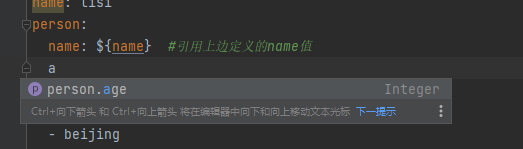
# profile
profile 功能是来进行动态配置切换 可以帮助我们快速的切换 开发 测试 生产 环境配置
# 配置文件切换
# properties 多文件配置
通过 application 配置
spring.profiles.active=dev #dev为application-dev -后面的名称
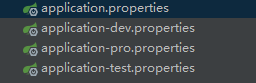
不同的 application 以 - 进行区分 如:application-dev application-test
在 spring.profiles.active= 横杠后的名称 调用指定的环境配置
# yml 单文件配置
以三个横杠区分不同的环境 ---
---
server:
  port: 8081
spring:
  config:
    activate:
      on-profile: dev

---
server:
  port: 8082
spring:
  config:
    activate:
      on-profile: pro

---

server:
  port: 8083
spring:
  config:
    activate:
      on-profile: test  #配置名称为test环境
---

spring:
  profiles:
    active: pro  #使用pro环境
2
3
4
5
6
7
8
9
10
11
12
13
14
15
16
17
18
19
20
21
22
23
24
25
26
27
28
29
# profile 激活方式
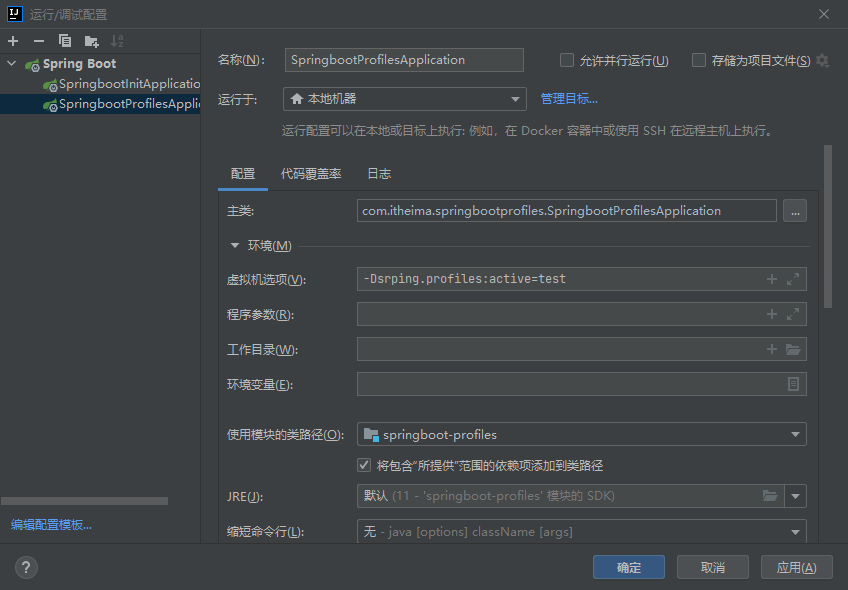
- 在虚拟机中配置 以 - Dsrping.profiles:active = 对应的环境名称
- 通过 jar 包运行
java -jar springboot.jar --spring.profiles.active=pro
# 内部配置加载顺序
- file:./config/ 当前项目下的 /config 目录下
- file:./ 当前项目的根目录
- classpath:/config/ classpath 的 /config 目录
- classpath:/ : classpath 的根目录 resource 为此处
优先使用先加载配置中的属性
# 外部配置加载顺序
- 通过 --spring.config.location= 来指定外部配置文件的路径
java -jar springboot.jar --sporing.config.location=配置路径
在 jar 包的同级文件下放置配置文件 会优先于 jar 中的配置文件
java -jar springboot.jar1在 jar 包的同级文件下创建 config 文件夹放置配置文件 会优先于 jar 中的配置文件
# SpringBoot 整合其他框架
# Junit
//如果test类跟springboot启动类的包路径一致 则不需要指定classes
@SpringBootTest(classes = SpringbootProfilesApplication.class)
class SpringbootProfilesApplicationTests {

    @Autowired
    private UserService userService;

    @Test
    void contextLoads() {
        userService.add();
    }

}
2
3
4
5
6
7
8
9
10
11
12
13
# Redis
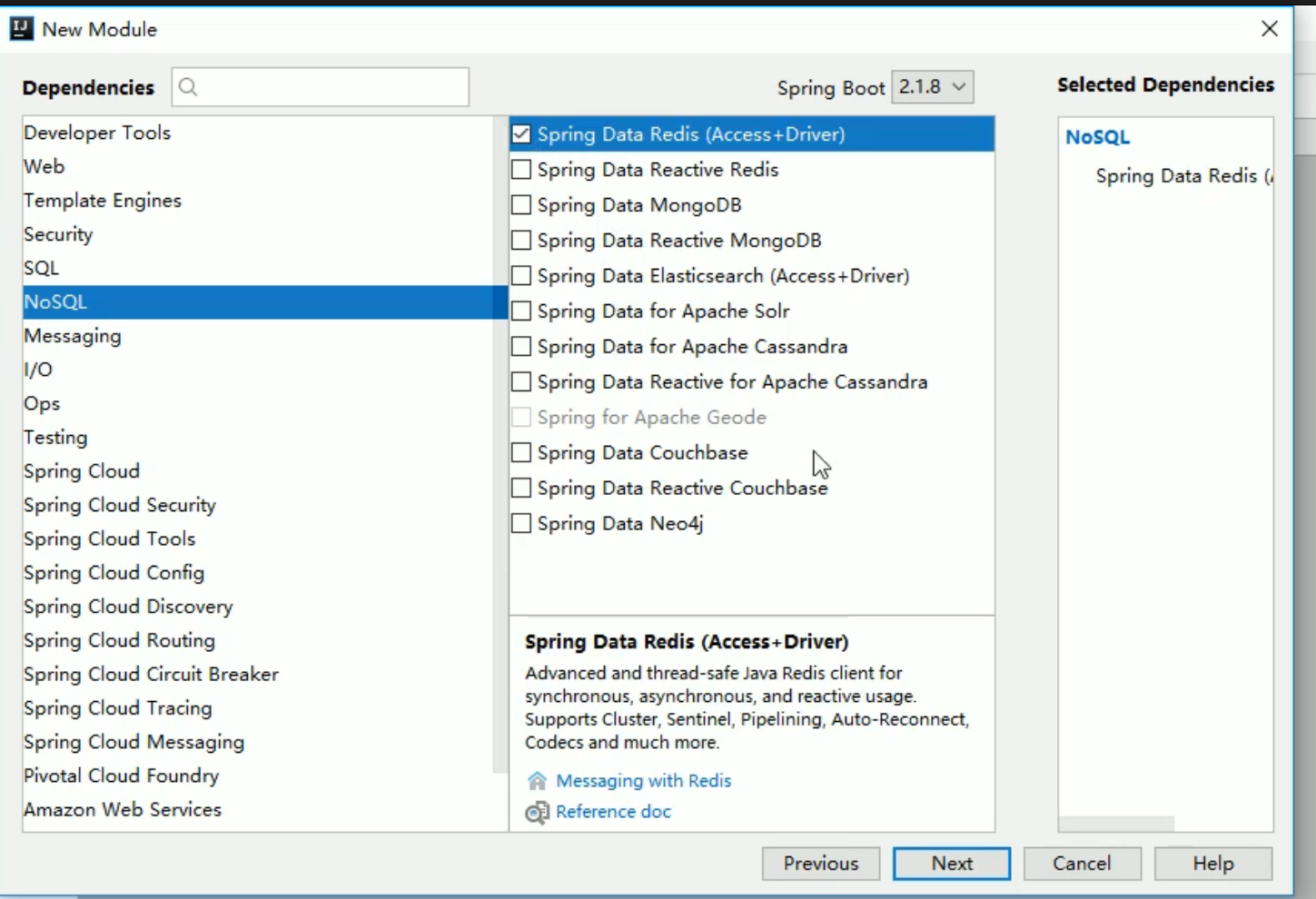
创建 maven 时选择 redis
       <dependency>
            <groupId>org.springframework.boot</groupId>
            <artifactId>spring-boot-starter-data-redis</artifactId>
        </dependency>
2
3
4
test 类
    @Autowired
    private RedisTemplate redisTemplate;


    @Test
    public void testSet(){
        redisTemplate.boundValueOps("name").set("zhangsang");
    }

    @Test
    public void testGet(){
        Object name = redisTemplate.boundValueOps("name").get();
        System.out.println(name);
    }
2
3
4
5
6
7
8
9
10
11
12
13
14
application 配置默认是为本机地址和 6379 端口
spring:
    redis:
       host: 127.0.0.1  #redisip
       port: 6379  #端口
2
3
4
# MyBatis
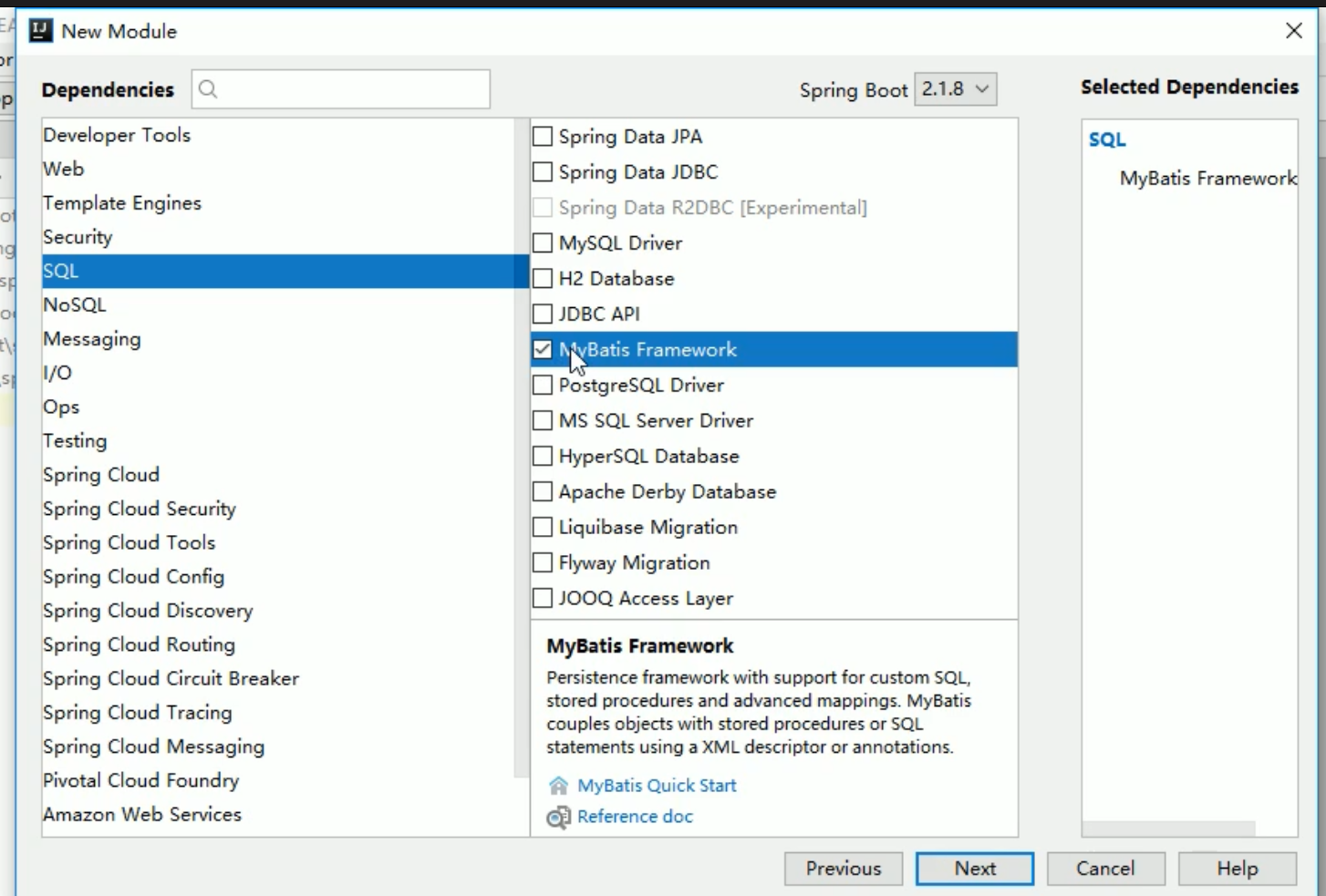
创建项目时勾选
   <dependency>
            <groupId>org.mybatis.spring.boot</groupId>
            <artifactId>mybatis-spring-boot-starter</artifactId>
            <version>2.2.0</version>
        </dependency>
        <dependency>
            <groupId>mysql</groupId>
            <artifactId>mysql-connector-java</artifactId>
        </dependency>
2
3
4
5
6
7
8
9
配置类
spring:
	datasource:
    	driver-class-name: com.mysql.cj.jdbc.Driver  #注意驱动地址
    	username: root
    	password: 123456
    	url: jdbc:mysql:///springboot?serverTimezone=UTC  #如果是本地可以忽略ip和端口  必须设置时区否则会报错
2
3
4
5
6
- 注解版 mapper
@Repository
@Mapper
public interface UserMapper {
    @Select("select * from t_user")
    List<User>  findAll();
}
2
3
4
5
6
7
test
  @Autowired
    private UserMapper userMapper;

    @Test
    public void testFindAll(){
        List<User> all = userMapper.findAll();
        System.out.println(all);
    }
2
3
4
5
6
7
8
xml 版 mapper
@Repository
@Mapper
public interface UserMapper {
    List<User>  findAll();
}
1
2
3
4
5
6xml
<?xml version="1.0" encoding="UTF-8"?>
<!DOCTYPE mapper
        PUBLIC "-//mybatis.org//DTD Mapper 3.0//EN"
        "http://mybatis.org/dtd/mybatis-3-mapper.dtd">

<mapper namespace="com.itheima.springbootprofiles.mapper.UserMapper">
    <select id="findAll" resultType="user">
        select * from t_user
    </select>
</mapper>
1
2
3
4
5
6
7
8
9
10配置文件
spring:
	datasource:
    	driver-class-name: com.mysql.cj.jdbc.Driver
    	username: root
    	password: 123456
    	url: jdbc:mysql:///springboot?serverTimezone=UTC

mybatis:
  mapper-locations: classpath:mapper/*Mapper.xml  #mapper的映射文件路径
  type-aliases-package: com.itheima.springbootprofiles.domain  #配置别名
1
2
3
4
5
6
7
8
9
10
11test
@Autowired
    private UserMapper userMapper;

    @Test
    public void testFindAll(){
        List<User> all = userMapper.findAll();
        System.out.println(all);
    }
1
2
3
4
5
6
7
8